Murajah

Your daily companion for Quran memorization & revision.

See it in action

Everything you need to memorize.

A closer look at the tools that make daily memorization stick.

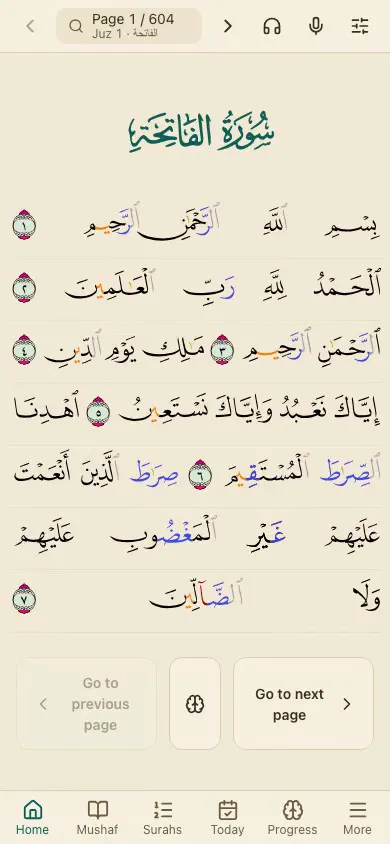
Demo: reading the mushaf with word-by-word translation and tajweed

Word-by-word & tajweed

Tap any word for its root, grammar, and translation. Madani (QPC) with color-coded tajweed, Indopak Nastaleeq, or the real scanned mushaf, your choice.

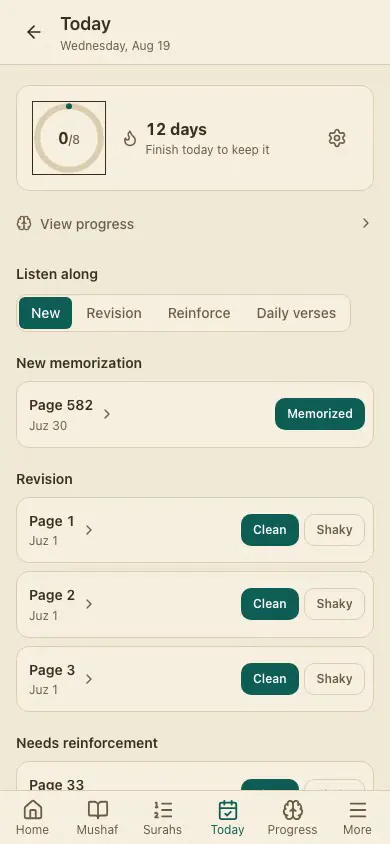
Demo: completing today's adaptive practice queue

One adaptive daily queue

New memorization, revision, and weak-spot reinforcement in a single queue, with streaks to keep the habit going.
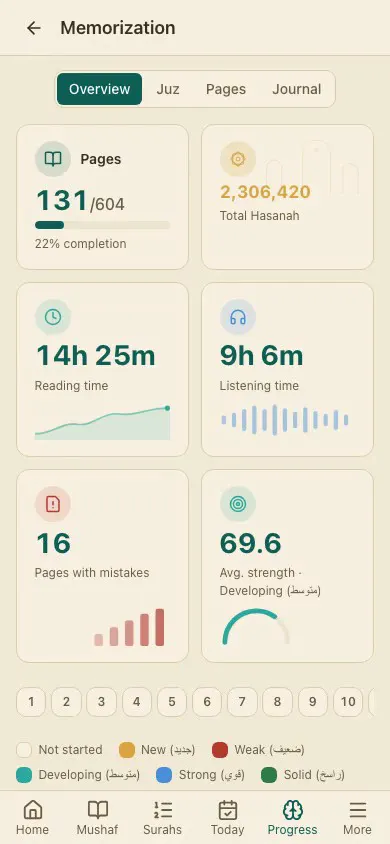
Demo: the memorization progress grid

Watch it add up

A 604-page grid and Juz overview, color-coded by how clean each revision was, plus a weakness score that flags what needs another look.
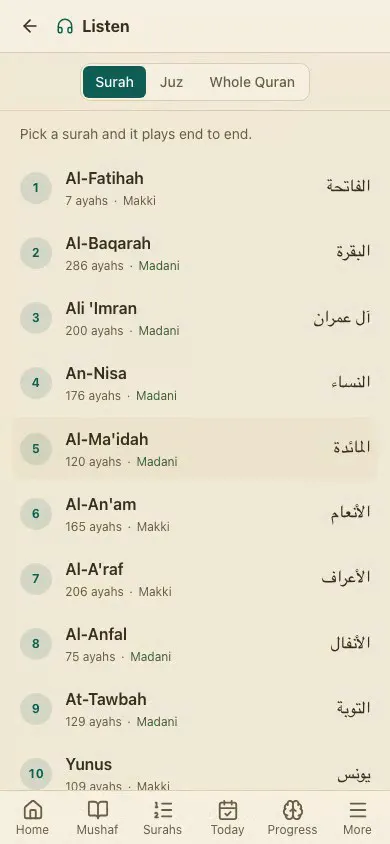
Demo: listening to recitation and switching reciters

Listen & record

14 verse-by-verse reciters, continuous playback by surah, juz, or the whole Quran, and recording your own recitation to review.
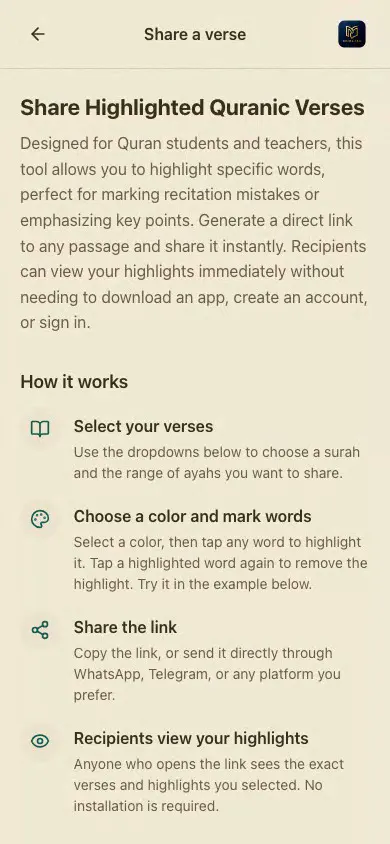
Demo: highlighting a passage and sharing the link

Share highlighted verses

Tap-to-paint any passage in up to six colors, then share a read-only link. No account needed to view it.
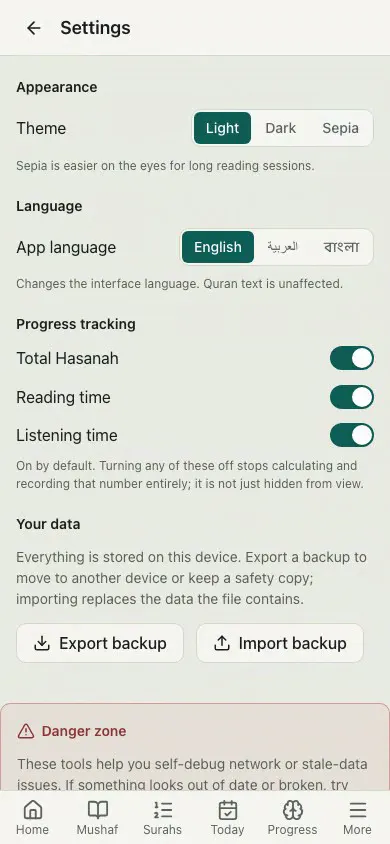
Demo: theme, language, and backing up your data

Your data, your device

Everything is stored locally. Export a backup anytime, and switch between light, dark, and sepia, or Arabic, Bengali, and English.

How it works

A clear path to lifelong retention.

No overwhelming page-at-a-time grind: just small, repeatable steps that fit into a busy day.

  1. 1Start readingPick Madani, Indopak, or scanned pages, and mark what you’ve already memorized.
  2. 2Practice a few minutes a dayToday's queue mixes new memorization, revision, and listening, built around your own pace.
  3. 3Review what’s shakyMark mistakes as you read, then let Quiz mode and the weakness score target exactly those verses.

Ready to start your memorization journey?

Free and open-source. Step by step, verse by verse.

Get it on Google PlayInstall on iOS
Join the Discord

Install on iOS as app

Add Murajah to your Home Screen

iOS doesn't have a Murajah app in the App Store. Instead, you can add the web app to your Home Screen so it opens and feels just like a regular app. Watch the short video below, or follow the written steps.

Option 1: Quick Safari method (uses the default web icon)

  1. Open the Murajah Web App in Safari.
  2. Tap the Share button (square with an arrow pointing up).
  3. Scroll down and select Add to Home Screen.
  4. Rename it if you want, then tap Add.

Option 2: Shortcuts app (allows a custom icon image)

  1. Open the Shortcuts app and tap + in the top right.
  2. Tap Add Action, search for Open URLs, and select it.
  3. Paste the website link https://murajah.pages.dev/ into the URL field.
  4. Tap the down arrow at the top (next to the shortcut name) → Add to Home Screen.
  5. Tap the icon image to select a custom photo, set your title, and tap Add.
Join the Murajah DiscordGet support, share feedback, and connect with other reciters.